
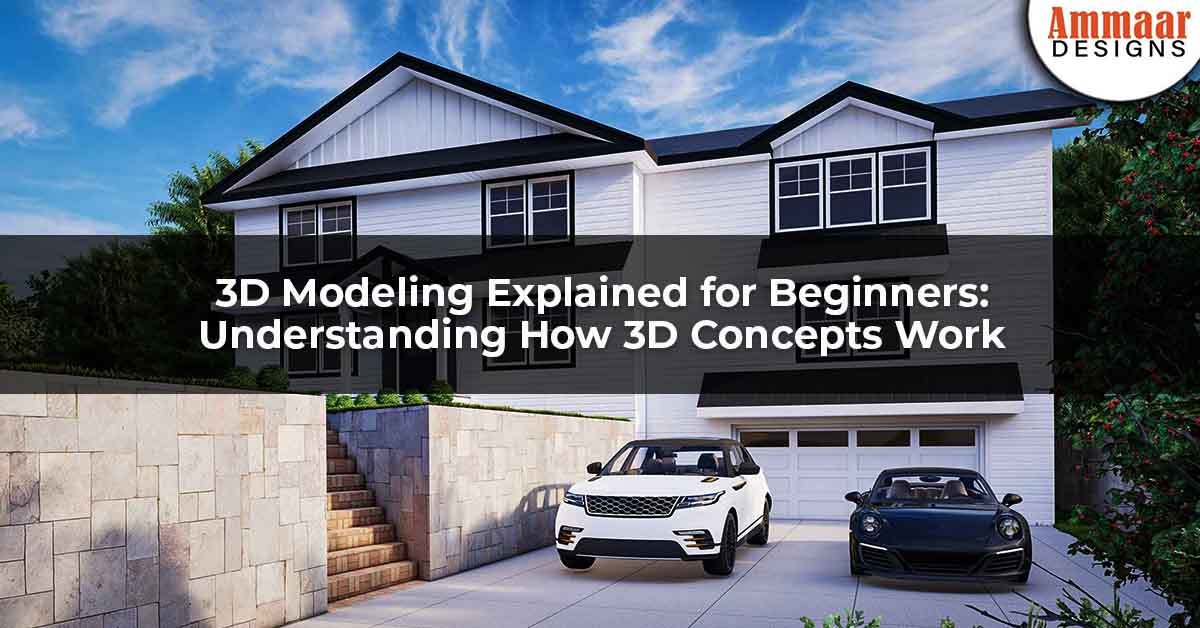
Design projects often fail before construction begins. The problem usually starts with unclear drawings and misread layouts. Homeowners struggle to visualize space. Developers face costly revisions. Contractors interpret plans differently. This is where 3D modeling explained for beginners becomes essential.
3D modeling transforms flat drawings into clear digital spaces. It allows everyone to see scale, form, and function before work starts. This article explains how 3D concepts work in simple language. It connects design intent with real-world construction needs. Readers will learn how 3D models reduce risk, improve communication, and support smarter decisions across residential and commercial projects.
What 3D Modeling Means in Design and Construction
3D modeling is the process of creating a digital three-dimensional representation of a physical space or object. The model shows width, depth, and height together. This helps users understand volume and proportion clearly. 3D modeling explained for beginners starts with this spatial shift from 2D lines to 3D forms.
In architecture and real estate workflows, 3D models act as a shared visual reference. Designers use them to test ideas early. Builders use them to check feasibility. Clients use them to understand outcomes before approvals or budgets are finalized.
How 3D Concepts Differ From Traditional 2D Drawings
2D drawings rely on plans, sections, and elevations. These views require training to interpret. Many non-technical clients misread scale or alignment. This gap often leads to design revisions during construction.
3D concepts combine all views into one navigable model. Walls, floors, and roofs exist together in space. Basic 3D concepts for beginners help users see how elements connect. This reduces confusion and speeds up decision-making.
Understanding Coordinates, Scale, and Dimensions
Every 3D model is built on a coordinate system. This system defines position using three axes. X controls width. Y controls depth. Z controls height. These values ensure accurate placement.
Scale ensures the model matches real-world dimensions. An incorrect scale causes major construction errors. What 3D modeling is and how it works always includes strict dimensional control. An accurate scale supports cost estimation and material planning.
Geometry and Forms in 3D Modeling
Geometry forms the foundation of every 3D object. Simple shapes combine to create complex structures. Cubes form rooms. Cylinders form columns. Planes form walls.
Understanding geometry helps beginners control form and proportion. 3D modeling explained for beginners focuses on how simple shapes evolve into detailed spaces. This approach keeps models efficient and editable.
Materials, Textures, and Surface Logic
Materials define how surfaces look and behave. Textures add visual detail without increasing geometry. Brick patterns, wood grains, and concrete finishes rely on textures.
Correct material application improves realism and communication. It also supports lighting analysis. 3D visualization for architecture depends on accurate material properties to reflect real conditions.
Lighting and Spatial Perception
Lighting affects how space feels and functions. Natural and artificial light behave differently. 3D models simulate light paths and shadows.
This helps designers test window placement and shading. Architectural 3D modeling uses lighting studies to improve comfort and energy efficiency. Early analysis prevents costly retrofits.
From Concept Model to Design Development
Early models focus on massing and layout. These models test space relationships. Details remain minimal to allow fast changes.
As design progresses, models gain detail. Walls gain thickness. Openings gain dimensions. 3D modeling explained for beginners shows how models evolve with project stages.
Coordination and Error Reduction
3D models reveal conflicts early. Overlapping systems become visible. Structural clashes can be resolved digitally.
This process reduces on-site errors. BIM modeling basics support coordination between design and construction teams. Fewer errors mean fewer delays.
Software Tools Used in 3D Modeling
Different tools serve different purposes. SketchUp supports fast concept modeling. AutoCAD supports precise drafting. Blender supports detailed visualization. Lumion supports real-time rendering.
Choosing the right tool depends on project needs. 3D modeling software for beginners should balance ease of use and accuracy. Neutral documentation guides correct usage.
Regulatory and Approval Considerations
3D models support planning submissions in many regions. Authorities often require clear visual documentation. Models help demonstrate compliance with zoning rules.
However, models do not replace legal drawings. The construction documentation workflow still requires verified plans. Users should confirm local submission requirements before relying on 3D visuals.
Risks and Limitations of 3D Modeling
3D models depend on accurate input data. Incorrect assumptions lead to misleading visuals. Over-polished models can hide unresolved issues.
Users must understand limitations. Design coordination risks remain if teams rely only on visuals. Verification against technical drawings is essential.
Why 3D Modeling Matters for Property Stakeholders
Homeowners gain clarity before investing. Developers reduce redesign costs. Contractors build with confidence. Real estate professionals market properties more effectively.
3D modeling explained for beginners bridges communication gaps. It aligns expectations across all project stages.
Conclusion
Understanding 3D concepts transforms how projects are planned and delivered. Clear models replace guesswork. Teams collaborate with shared visual clarity. Risks are reduced before construction begins. 3D modeling explained for beginners empowers better decisions across design and development.
For those planning a project, professional 3D modeling adds measurable value. It supports approvals, budgeting, and execution. Readers are encouraged to explore professional architectural design services, review project portfolios, or schedule a consultation to apply these principles effectively.
Frequently Asked Questions
What is 3D modeling used for in architecture?
3D modeling visualizes space, tests design ideas, and supports coordination before construction.
Is 3D modeling necessary for small residential projects?
Small projects benefit from clarity and reduced miscommunication.
How accurate are 3D models compared to real buildings?
Accuracy depends on the correct scale and verified data input.
Can 3D models replace construction drawings?
They support but do not replace technical drawings.
Which software is best for beginners?
Tools with simple interfaces and strong documentation work best.
Blog Summary
3D modeling helps project teams visualize space before construction begins. This article explains how 3D concepts work in simple terms. It covers geometry, scale, materials, lighting, and workflows. Readers learn how models reduce errors and improve collaboration. The guide supports homeowners, developers, and professionals seeking clearer design communication through 3D modeling.